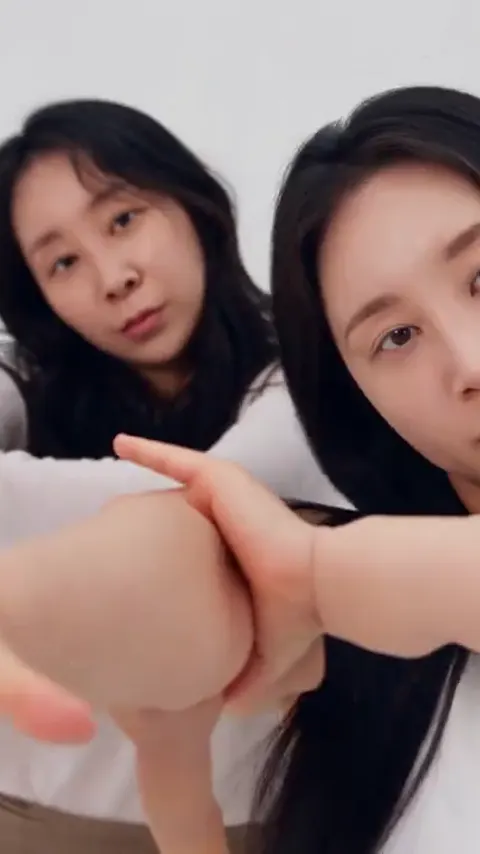
To post a NEON AI dance on TikTok, Instagram Reels or YouTube Shorts, download the MP4 from A2O Lite Neon AI, post it as a 9:16 vertical video, switch on the platform's AI label when it asks, and add the official NEON sound inside the app if the original audio gets muted. Only post people who agreed to be in it.
The clip you get from A2O Lite Neon AI is 15 seconds long in 9:16, 1:1 or 16:9, which fits all three platforms without editing. The NEON duo intro itself went around the internet largely through parodies and AI remakes, according to SBS Star's report on the trend, which makes posting your own version a natural next step. This guide covers the format, the label, the sound, the caption and the consent rules.
Key takeaways
- Post 9:16 for TikTok, Reels and Shorts. Use 16:9 only if you want a landscape version for a computer screen or a YouTube standard upload.
- Platforms ask you to label AI-generated video. Turn the label on when asked, and check each app's current wording yourself.
- If the NEON audio is muted after upload, post anyway and add the official NEON sound inside the app.
- Use clear captions and a few relevant hashtags such as #NEONchallenge and #A2OLITE. Do not claim the video is official.
- Only post yourself or adults who agreed. Photos of A2O LITE members, celebrities and anyone under 18 are not allowed.
Choose 9:16 or 16:9 before you render
The shape of the video is the first decision, and it is easier to make before you generate than after. Short-video platforms are built for vertical screens. TikTok, Instagram Reels and YouTube Shorts all show 9:16 full screen on a phone, so a vertical video fills the display and keeps the dancers large.
A2O Lite Neon AI outputs 9:16, 1:1 or 16:9. If you plan to post on any of the three platforms in this guide, pick 9:16. A 16:9 clip posted to a vertical feed appears as a thin strip with black bars above and below, and the dancers shrink to a fraction of the screen. Faces are small enough already in a wide shot of a duo, so you do not want to make them smaller.
When 16:9 makes sense
Landscape works if the destination is a normal YouTube video, a website embed, a slide, or a screen shared at a family event. It is also fine for a group chat where people open the file on a computer. If you want both versions, render twice, since the framing is generated for the chosen shape and not cropped from one master. Each render costs credits, and a standard 720p video is 10 credits.
What about 1:1?
Square works on some feeds and in some grid layouts, but it does not fill a vertical screen on any of the three platforms. Use it only if you have a specific reason.
What this section settled: pick 9:16 for the three platforms. What it left open: the label.
Label it as AI when the platform asks
Platforms increasingly ask creators to disclose AI-generated or heavily altered content, and a video made by A2O Lite Neon AI qualifies. The people in it look like the people in your photos, but the motion and the scene are generated, so it is an AI video in every sense a viewer would care about.
The exact wording, the placement and the consequences of skipping the label change from app to app and over time, and we have not verified each platform's current policy page. What we can say is that TikTok and Instagram have been described as asking for AI labels in the sources we reviewed, which are third-party sites, so we treat that as a reason to check the app, not as a quote of policy. Look in the posting screen for a setting about AI-generated content or an "AI info" toggle, and switch it on.
Why you should label even if nobody makes you
A label protects you in a few practical ways. It stops viewers from thinking you really performed the intro or that the video is a leaked clip. It removes a reason for someone to report the post. And it fits the playful tone of the trend: the remakes that spread were obviously made with AI, and the joke depended on that.
Wording in the caption
A short line in the caption does the same job as the toggle. Something like "AI-generated NEON intro made with my own photos" is plain and honest. Avoid any wording that suggests the group, the label or the choreographers made or endorsed the clip. A2O Lite Neon AI is independent and not affiliated with A2O LITE or A2O Entertainment, and your caption should not imply otherwise.
What this section settled: turn the AI label on and say so in the caption. What it left open: the sound.
Why the music gets muted, and how to add the official NEON sound
The most common surprise after posting is silence. Your downloaded MP4 has the NEON intro audio, but after upload the clip plays with no sound or very quiet sound. Platforms can mute or reduce audio they detect as copyrighted when it arrives inside an uploaded video. A short clip carrying a recognizable new release is a natural candidate.
This is a platform decision made after the render, not a fault in the video. The AI renders the picture without sound, A2O Lite Neon AI adds the NEON intro audio afterwards, and the MP4 is correct when you download it.
The in-app fix
The reliable route is to use the platform's own sound library:
- Search the app's music or sound picker for the official NEON track by A2O LITE. Note the spelling with the letter O. "A20 LITE" with a zero is a common misspelling, and searching with it may miss the sound.
- Attach the official sound to your post. Where the app lets you, mute the original audio of your upload so the two do not overlap.
- Line up the start of the sound with the dance. The NEON audio in the video was timed to the clip, so the official sound should start at the beginning of the intro section. Check the preview before you publish.
What is available depends on your country and account type, and a sound may be limited for business accounts. We cannot confirm availability on any given day. If you cannot find the sound, try a personal account, a different region of the app, or post the clip without music and let the video carry the joke.
Do not re-upload ten times
Repeatedly uploading the same file to get past a mute is unlikely to work and can look like a spam pattern. Add the sound in the app once and move on.
What this section settled: muted audio is a platform step, and the in-app sound is the fix. What it left open: how to caption it.
Captions and hashtags that fit the trend
A good caption does three jobs: it says what the video is, it helps people find it, and it keeps you clear of misleading claims.
Say what the video is. A line such as "AI NEON duo intro with my friend" tells viewers what they are looking at. If you used Solo Park, say so. If it is your cats in Kitten Duo, say so, since pets are a draw on their own.
Help people find it. Hashtags that match the trend are #NEONchallenge and #A2OLITE, with the letter O in the second one. These are suggestions and we have no data on their reach, and a YouTube video called "A2O LITE NEON challenge" exists whose official status we could not confirm, so do not describe the hashtag as an official campaign. Add a hashtag for the platform's AI label if the app suggests one, and a dance-related tag if you like. Three to five tags are enough. A long wall of tags looks spammy and adds little.
Keep it honest. Do not write that the dance is by the group, that the video is official, or that you have a connection to A2O Entertainment.
Spelling in text and tags
People type the name as A20 LITE with a zero, as well as A2O LITE with the letter. If you want to catch both searches in the caption, you may mention both once, for example "A2O LITE (A20 LITE)". Keep the official hashtag spelling with the letter O.
A caption template in plain words
Describe the scene, name the dance, add the AI line, then the tags. For example: what the clip is, who is in it, "made with AI", then two or three hashtags. Keep the language light, because the trend is meant to be fun.
What this section settled: caption honestly, use two or three trend tags. What it left open: who you can post.
Only post people who agreed
This is the rule that matters most. A video of a person is about them, even when an AI generated the movement. Before you post, check that everyone who appears has said yes to being in it and to the platform you are using.
A2O Lite Neon AI only accepts photos of you or of adults who agreed to be in the video, all 18 or older. Photos of A2O LITE members, other celebrities, public figures or anyone under 18 are not allowed, and the members of A2O LITE are minors. That also covers photos of someone's child, a classmate or a younger relative. If a person is under 18, do not upload them, and do not post a video of them.
Friends, partners and family
Ask before you generate, and ask again before you post, because agreeing to appear in a private video is different from agreeing to a public feed. A quick message with the clip attached is enough. If someone says no or hesitates, do not post it. Parody and meme versions can feel funny to you and embarrassing to the person in them, especially Wig Parody Duo, which dresses people in costume wigs.
Pets
Pets cannot consent in any meaningful way, but pet videos are low risk for people. Make sure no person in the background appears in the photo you upload.
Not the real members
It can be tempting to put the real group in the video, but it is not allowed here and it is not right. The members are minors, and an AI video of a real person doing something they did not do can mislead viewers. Use your own face or the faces of adults who agreed.
What this section settled: consent comes first. What it left open: a final check.
A short checklist before you tap Post
- The video is 9:16 if you are posting to TikTok, Reels or Shorts.
- Everyone in it is an adult who agreed, and none is a member of A2O LITE, a celebrity or a public figure.
- The AI label is on, and the caption says it is AI-generated.
- You tried the official NEON sound in the app if the original audio is gone.
- The caption does not imply anything official, and the tags are few and relevant.
- You have the MP4 saved locally, since you may want to repost it to another platform.
What it costs to make a second version
There is no free tier. A Single pack is $6.99 for one standard 720p video, which is 10 credits, and a render takes about four minutes. Packs never expire and are non-refundable, and a render that fails or is blocked refunds its credits. If a clip came out with a flaw, our guide to fixing common NEON video failures lists the usual photo and model fixes.
Have a clip ready to share? Make your NEON duo video, or read how to make one from start to finish.
Frequently asked questions
What format should I use to post a NEON AI dance?
Use 9:16 vertical for TikTok, Instagram Reels and YouTube Shorts, and choose it before you render on A2O Lite Neon AI. The site outputs a 15-second MP4 in 9:16, 1:1 or 16:9. A 16:9 clip posted to a vertical feed shrinks into a thin strip with black bars.
Do I have to label my NEON AI video as AI?
Label it as AI whenever the app asks, including for a video made with A2O Lite Neon AI. Platforms increasingly ask creators to disclose AI-generated video, though exact rules change by app and we have not verified each one. Switch on the AI toggle and add a plain caption line saying it is AI-generated.
Why did the NEON music get muted on my post?
The music got muted because platforms can silence audio they flag as copyrighted, not because the A2O Lite Neon AI render failed. Every MP4 carries the NEON intro audio. Post the clip, then add the official NEON sound from the app's sound library and line it up with the dance.
Can I post a video of my friend or a celebrity?
A2O Lite Neon AI only allows a friend who is an adult and agreed, and never a celebrity. It does not allow photos of A2O LITE members, celebrities, public figures or anyone under 18, and the members of A2O LITE are minors. Ask your friend before you generate and again before you post publicly.
Sources
- SBS Star: NEON viral memes and AI dance clips
- SBS Star: NEON duo choreography by Xili and Aijing
- Korea Times: A2O LITE tops Melon chart