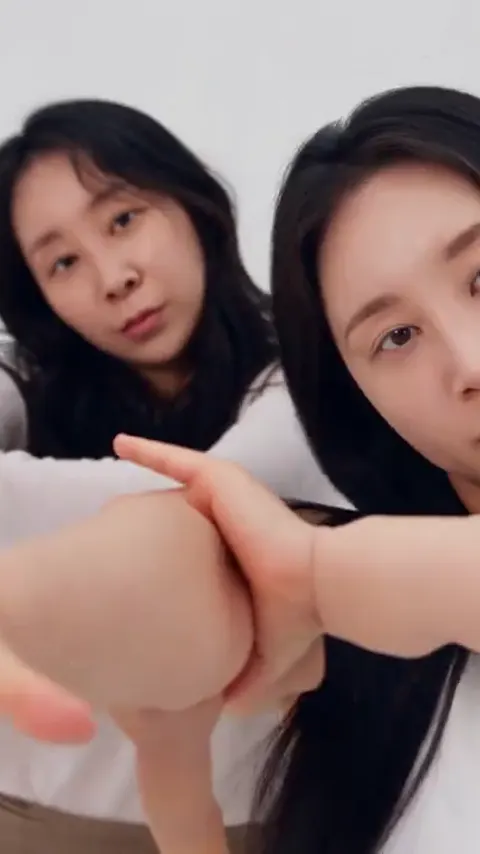
The nine most common A2O Lite Neon AI video failures are swapped faces, hair leaking between dancers, a drifting close-up, blurred hands, a low kick, a third dancer, pets with human hands, a wrong outfit and audio that goes quiet after upload. Almost all of them are fixed with a better photo, the Pro model or a second render, not with extra text.
A2O Lite Neon AI makes a 15-second AI video of the NEON duo intro from your photos, and a render takes about four minutes. Because the motion, the settings and the NEON audio are built in, the things that go wrong are the things you control: the photos, the model tier and, for audio, the platform you post on. This guide goes through each failure, what causes it and what to do.
Key takeaways
- Most failures trace back to the source photo: too small, too dark, turned away, filtered, or with more than one face.
- Use a sharp, front-facing, full-body photo with one face per photo for two dancers.
- When a flaw is about detail (faces, hands, kicks), the Pro model is the next step, not a longer text.
- Outputs vary from run to run, so one re-render is a fair test before you change anything.
- Upload only yourself or adults who agreed. Photos of A2O LITE members, celebrities and anyone under 18 are not allowed.
Start with a source photo that works
Before the individual failures, one rule covers more of them than any other: give the model a photo it can read. A2O Lite Neon AI copies the face, hair and outfit from each photo, so everything the model knows about you comes from those pixels.
A good photo has five properties. It is sharp, so edges of the face and hands are clear. It is front-facing, with both eyes visible. It is evenly lit, with no heavy shadow across half the face. It is unfiltered, because beauty filters smooth features the model then has to guess. And it shows the whole body if the dance includes a kick or a turn, because the camera stays wide for much of the clip.
One face per photo
For a two-dancer dance, upload two photos, one per person, each with exactly one face. You can also upload a single photo of both of you, and it works, but each face is smaller and the model has less to hold onto. Group shots with a third person in the background invite extra faces, which matters for failure number six below. Photos can be JPG, PNG or WebP up to 10 MB.
Make the two dancers easy to tell apart
Different tops and different hair do more for identity than anything else you can do. Two people in the same black outfit with similar hair look like one person to a model, and the problems below get worse.
What this section covered: the photo checklist. What it left for later: the individual failures.
Failures 1 and 2: faces swap and hair leaks
Faces swap between the two dancers
You see dancer A's face on dancer B's body, or both faces drift toward the same look. The model has to keep two identities apart while both people move, turn and overlap, and when the identity cues are weak it blends them.
Fix: use one clear face per photo, make the two outfits and hairstyles different, and re-render once. If it persists, switch to the Pro model, which is Seedance 2.0 rather than the Seedance 2.0 Mini behind Standard. Better identity separation is one of the main reasons to move up a tier.
Long hair leaks onto the other dancer
When one dancer has long hair and the other a short cut, strands sometimes appear on the short-haired one, or a hair whip carries through both bodies. The head whip moments make this most visible. One third-party site describes the same leak, though we have not verified its claims, so treat that as a hint rather than a rule.
Fix: use a photo where the hair is clearly separate from the shoulders and background, ideally a front-facing shot with the hair visible and not tucked or half out of frame. If you want a clean result with very different hair lengths, try the Pro model and re-render. Do not look for a text fix: you cannot edit the prompt in A2O Lite Neon AI, and the problem sits in the model, not in a missing word.
What these two taught: identity and hair are both photo problems first and model problems second.
Failures 3 and 4: the close-up drifts and hands blur
The face drifts in the close-up
Partway through the clip there is a close-up on one dancer. In the wide shot her face is small and may look fine. When the camera moves in, the model has to draw far more facial detail than the photo provides, and the face can slide away from your real one: a different nose, a different jaw, eyes that change shape between frames.
Fix: start from a larger, sharper face. A photo where the face fills a decent share of the frame carries more detail than a tiny face in a full-length shot. The best compromise is a full-body photo taken close enough that the face is still clear. Then try Pro, which should hold likeness better in tight shots. Cropping a face out of a crowd photo and enlarging it does not add detail, so use a fresh photo.
Hands blur or grow extra fingers
Hands are the classic AI weakness, and this clip puts a flat palm across the lens and has the dancers point at the camera. Both put the hands close and large.
Fix: use a photo where the hands are visible and not holding objects, because a phone or a bag in the hand gives the model something odd to extend. An open, relaxed hand is easier than a fist. After that, re-render, and use Pro if the same blur returns. Hand quality is mostly the model's ability, and the tier is the lever.
What these two taught: detail failures are about how much usable detail you supplied and how capable the model is.
Failures 5 and 6: the kick stays low and a third dancer appears
The high kick comes out low
The kick is the physical peak of the clip. A model tends to flatten unusual poses, so a kick can come out as a knee lift, or land a beat late. The motion reference keeps timing consistent, but the model still has to draw a leg that reaches high.
Fix: use a full-body photo, so both legs are visible and complete. A photo cropped at the knees leaves the model to invent the lower body. If the kick is still low, move up to Pro and re-render. Because the NEON audio is added after rendering, a low kick is a picture problem, not an audio one.
A third dancer appears
Sometimes a third figure shows up in the background, or a ghost of the hidden partner sits behind the first dancer before the entrance. One common cause is a photo with another person in it: a friend in the background or a reflection can be read as a dancer. Another is the hidden-partner opening, where the second dancer is meant to be out of view.
Fix: use photos with one person each and a plain background. Remove anyone else from the frame, then re-render. If the extra figure has the same face as one of your dancers, the model is duplicating an identity, and a different tier is the answer.
What these two taught: body and background are part of the input. A clean photo makes a clean video.
Failures 7 and 8: pets get human hands and outfits change
Pets get human hands
In Kitten Duo, the pets dance in place of human dancers. The model sometimes reaches for hands because the underlying dance was made for people. A2O Lite Neon AI builds the dance so the animals do not get human hands, but a render can still show paws that look like fingers.
Fix: use one clear, front-facing photo per pet, with the whole body visible and the coat clearly lit. Fluffy coats and clear markings hold up best, and very dark fur can lose detail. If you only have one pet, the same photo used twice makes twin dancers. If paws look wrong, re-render and try Pro.
The outfit is wrong
Most dances copy the clothes in your photos, so a plain photo gives you the dance in plain clothes. When the outfit comes out wrong, a different colour, a missing jacket or an invented logo, it usually means the photo did not show it clearly.
Fix: use a photo where the outfit is visible from the front and in good light. Patterns and fine print can simplify or change, so expect strong colours and simple shapes to survive better. One dance, Wig Parody Duo, replaces the outfit on purpose with long wigs and plain dresses, so a different outfit there is the design. For the others, if the outfit matters, upload a full-body photo wearing it.
What these two taught: the model reproduces what it sees, so show it what you want.
Failure 9: the audio goes quiet after upload
You download the MP4 and it has the NEON intro audio. You upload it to a platform and the sound is gone or quiet. This is not a render failure. Every A2O Lite Neon AI video comes with the NEON intro audio laid under the dance. Platforms can mute or lower audio they detect as copyrighted, and a short clip with a recognizable song is a common candidate.
Fix: post the video and add the official NEON sound inside the app you are using, which is a normal route on TikTok, Instagram Reels and YouTube Shorts. Our guide to posting your NEON AI dance covers the steps. If the sound is missing on your phone before you upload anything, check that the media volume is up and the silent switch is off, then play the downloaded file again.
What this taught: audio problems usually happen after the render, on the platform.
Choosing between a re-render and a higher tier
A render takes about four minutes, so testing is quick. The costs are real, though. There is no free tier, and a standard 720p video is 10 credits, which is the Single pack at $6.99. Packs never expire and are non-refundable. A render that fails or is blocked gives its credits back, but a finished video that simply looks wrong has already been delivered, so a re-render costs credits again.
A sensible order
- Check the photo against the checklist at the top and replace it if it fails.
- Re-render once on the same tier, since results vary between runs.
- If the same flaw returns, pick Pro (Seedance 2.0) or Ultra (Seedance 2.5) for the next attempt. The tiers are Seedance 2.0 Mini, Fast, 2.0 and 2.5, all from ByteDance. Higher tiers and resolutions cost more credits.
- Stop when another try costs more than the clip is worth to you.
We cannot guarantee a perfect render from any photo. A2O Lite Neon AI is an independent tool, not affiliated with A2O LITE or A2O Entertainment, and it does not use official footage. Keep to photos of yourself or adults who agreed, 18 or older.
Ready to try again with a better photo? Make your NEON duo video, or see the six dances to pick one that fits your photos.
Frequently asked questions
Why do the faces swap in my A2O Lite Neon AI video?
Faces swap in A2O Lite Neon AI when the two photos give weak or similar identity cues. Use one sharp, front-facing face per photo, dress the two dancers differently, and re-render once. If it still blends, try the Pro model, which should separate identities better than the Standard one.
How do I fix blurred hands in an A2O Lite Neon AI video?
Blurred hands in A2O Lite Neon AI come mostly from the model, so improve the photo and the tier. Use a photo with clear, empty hands, re-render once, and switch to Pro if the blur returns. You cannot edit the prompt, and added text would not help the detail anyway.
Why is the NEON sound missing after I post my video?
The NEON sound goes missing after posting because platforms can mute audio they flag as copyrighted, not because the A2O Lite Neon AI render failed. Every video includes the NEON intro audio in the MP4. Post it, then add the official NEON sound inside TikTok, Reels or Shorts.
Can I fix a failed render without paying again?
Yes for a failed render, no for a flawed one: A2O Lite Neon AI refunds credits automatically when a render fails or is blocked. A finished video that looks wrong counts as delivered, so another attempt costs credits again. Check the photo first, re-render once, and move to Pro only if the same flaw returns.
Sources
- SBS Star: NEON duo choreography by Xili and Aijing
- SBS Star: NEON viral memes and AI dance clips
- Korea Times: A2O LITE tops Melon chart