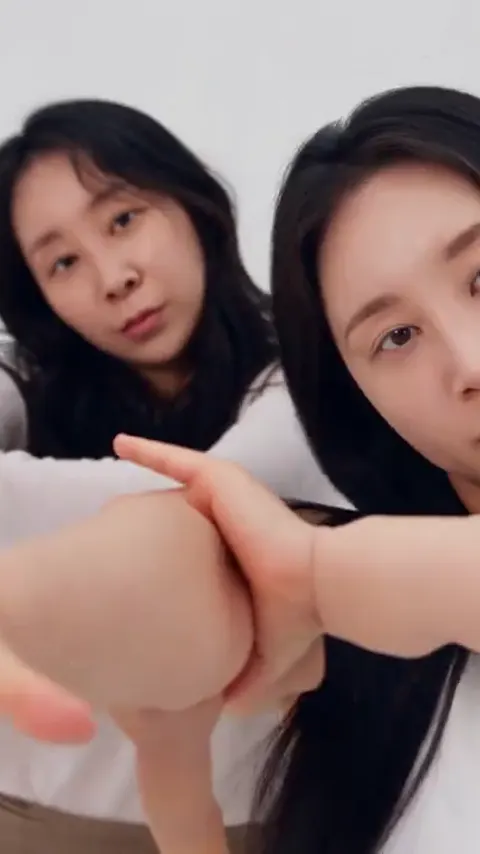
A copy-pasted NEON dance prompt fails because the prompt is only one of three things the video depends on: the motion reference, the settings the model runs with, and the photos you supply. A2O Lite Neon AI builds all three into the generator, so you upload photos and pick a dance, and the prompt text is never something you have to paste, tune or fix.
The NEON duo intro is a hard target for any AI video model. It is a short sequence with two people, a hidden entrance, a camera transition, a close-up and a fast kick, all inside about fifteen seconds. Online, people share long blocks of text that claim to reproduce it. They look convincing, and they mostly produce clips where something is wrong. Our NEON prompt page covers the basics; this post explains why, move by move, without publishing a prompt of any kind.
Key takeaways
- A prompt describes what should happen. It cannot tell a model how fast, how far or in what rhythm, and the NEON intro is almost entirely rhythm.
- Face swaps, an early second dancer and a broken hand wipe each have a separate cause, and none of them is fixed by adding more words.
- A motion reference carries timing that text cannot, which is why A2O Lite Neon AI ships one with every dance.
- The inputs you control are your photos: sharp, front-facing, one face per photo, full body.
- Only upload yourself or adults who agreed. Photos of A2O LITE members, celebrities and anyone under 18 are not allowed.
What a NEON duo prompt actually has to do
The intro that went viral is a two-person routine, performed by Xili and Aijing according to SBS Star's report on the choreography, with J Black saying he took part in creating it. The AI remakes are not that choreography. They are new videos that imitate its shape: a lone dancer, a partner who appears, a camera moment, a close-up, a synchronized section and a finish.
A text prompt for that has to carry a surprising amount of information. It must say who is where at the start, which person is visible and which is hidden, when the second person enters, which direction the camera faces, what the hands do at the transition, and how the body moves in the synchronized section. Then it has to say all of that in a way a video model interprets the same way each time. That last part is where copy-pasting breaks down.
A video model does not execute instructions in order the way a program does. It reads the whole text as one description of a scene and samples a clip that fits it. Words about order and timing, such as "then" or "after two seconds", are soft hints. Words about appearance, such as "long hair" or "white dress", are strong ones. A prompt that mixes the two is unevenly obeyed, and the uneven part is exactly what the NEON intro is built on.
Prompts that circulate online are also written for a specific tool, a specific model version and often a specific photo. When you paste one into a different model with different photos, you are not reproducing someone's result. You are running a new experiment with their sentences.
What this section settled: a prompt is one input among several. What it left open: how each common failure maps to a cause, which the next sections cover.
The shot order the intro depends on
Before looking at failures, it helps to see the structure the generator has to hold together. The beat table on the A2O Lite Neon AI site breaks the 15-second clip into seven parts: the first dancer alone in a wide shot, the partner popping out, a palm wiping across the lens, a close-up head whip, a pointing moment, the synchronized wide section with knee bends, a back turn and a high kick, and a final rush to the camera.
A note on sourcing: the exact timing of the official intro has not been confirmed by a first-party source. The only detailed second-by-second breakdown we found comes from third-party sites, and we treat it as unverified until someone checks it against the official music video frame by frame. The beat table on our site is a working structure for the AI dance, not a claim about the original's timecodes.
What matters here is the shape. The clip has two shot sizes (wide and close), one transition (the hand wipe), one entrance (the partner) and one physical peak (the kick). Each is a place where a model can drift.
What this section settled: the clip has a handful of fragile moments. What it left open: why the faces are the first thing to go wrong.
Why two faces swap when a prompt is copied
Face swapping between the two dancers is the most common complaint about two-person AI videos, and it has a plain cause. A model has to keep two identities apart across every frame while both people move, turn away, overlap and come back. Text is a weak tool for that. A sentence such as "the dancer on the left" says nothing about which face belongs on the left once the dancers cross or one turns her back.
When a pasted prompt names two people by clothing or hair alone, the model leans on those cues. If the two photos you supplied have similar hair, similar outfits or similar framing, the cues overlap, and the identities start to blend. One dancer's face can end up on the other's body, or both faces can drift toward an average of the two.
What actually separates two identities
The strongest identity signal is the photo itself. One face per photo gives the model an unambiguous source for each person. A single photo with both people in it works, but each face is smaller and shares the frame, so there is less detail to hold onto. Two sharp, front-facing, full-body photos with clearly different hair and clothing give the cleanest separation.
This is also why a prompt pasted from a video made with someone else's photos transfers poorly. The prompt may have worked because those two people looked very different from each other. Yours may not.
Contrast matters more than description. If both of you wear black and have dark hair, no wording will tell the model which is which. A different top for each person in the photos does more than any added sentence.
What this section settled: face swaps come from weak identity signals, so the fix is in the photos and the model. What it left open: why the partner sometimes shows up before she should.
Why the second dancer appears too early
In the NEON intro, the first dancer stands alone. The partner is hidden behind her and steps or pops out a moment later. In a bad render, you can see the partner from the first frame: a shoulder at the edge, a second head over the first dancer's shoulder, or a faint ghost behind her.
The cause is that a prompt cannot make a character absent. When you tell a model that two people are in the scene and one of them is hidden, the model has two competing ideas: two dancers exist, and only one is visible. The word "hidden" is a negative, and generative models are poor with negatives. Mentioning the second dancer at all tends to put her into the frame, because the model renders what the text names.
What controls the entrance
Timing of an entrance is a motion question. A motion reference supplies a track of where bodies are at each moment, so the empty frame at the start is empty because the reference says so, not because the text asked politely. That is the design behind each dance on A2O Lite Neon AI, and it is why you will not find a place to type the entrance timing: it is already decided.
What you can influence is the starting material. A full-body photo of the first dancer standing straight, facing the camera, gives the model a clean silhouette to place at the start. Photos with props, bags or a second person in the background make the "alone" opening harder to keep.
What this section settled: an early partner is a negative-instruction problem that a motion reference handles better than text. What it left open: the transition that covers the lens.
The hand wipe and why it breaks
About a third of the way through the clip, a flat palm sweeps across the lens. It is the transition the trend is known for. It is also one of the hardest moments to get right, for three reasons.
First, the hand is large and near the camera. Hands are already a weak point in AI video, and a hand that fills the frame has every finger exposed to error: extra fingers, merged fingers, a palm that melts into a face.
Second, the wipe is a cut in disguise. After the hand clears the lens, the scene is different: the shot size has changed from wide to close, and the partner is now in view. The model has to treat the wipe as a bridge between two framings. A text description of "a hand wipes the lens and the scene changes" asks the model to invent that bridge, and it often does not commit. You see the hand wipe, but the frame behind it looks the same, or the hand arrives and the faces warp as it passes.
Third, whose hand is it? The wipe can belong to either dancer. If the model has not settled which one is wiping, the arm may come from the wrong body or from nowhere.
What this section settled: the wipe fails because it is a close, large, state-changing motion. What it left open: the physical peak of the clip.
High kick timing and the motion reference
The kick is the peak of the synchronized section. A high kick needs several things at once: a balanced standing leg, a lifted leg that reaches its height at a specific beat, and the second dancer doing the same thing at the same moment. Written down, it is one line. Rendered, it is the moment most likely to look mushy.
Models tend to flatten extreme poses toward the average of their training data. A leg lifted to head height is an unusual configuration, so a plain prompt often yields a knee-high lift, a leg that bends in odd places, or a kick that happens a beat late. And because the prompt gives no sense of rhythm, the two dancers kick at slightly different times, which breaks the sync that makes the section recognizable.
What a motion reference changes
A motion reference is a video or pose track that the model follows for movement while taking appearance from your photos. It separates two jobs: how bodies move and who they are. Text blurs the two together, so describing a kick also describes a person, and the model mixes them. With a reference, the kick height, the timing and the sync between dancers come from the reference, and the faces and outfits come from the photos.
This is the reason a dance product delivers a high kick far more consistently than a pasted prompt can. It is also why we say that prompt tips for the kick, such as describing the leg angle or naming a beat, are not worth chasing. If the kick comes out low on a run, the fixes on your side are a full-body photo, so the legs are visible and complete, and a higher model tier, which handles extreme poses better.
What this section settled: kick timing and height come from a motion reference. What it left open: what you should do with all this.
What to do instead of editing prompts
If you came here to improve a pasted prompt, the short answer is that you will get further by improving your inputs. A practical order of attack:
- Start with the photo. Use a sharp, front-facing photo with even light. One face per photo for two dancers, or a clear single photo of both. Full body if the dance includes a kick.
- Make the two dancers different. Different tops, different hair, different framing. Contrast is the cheapest identity signal there is.
- Pick the dance that matches your photos. Solo Park takes one photo. Kitten Duo takes one photo per pet. White Studio Duo is the closest to the viral original. The full list is on the dances page.
- Use a higher tier when the first render has a specific flaw. Face blending, a low kick and smeared hands are all more common on lighter models. Pro is a different model, Seedance 2.0, not a longer prompt.
- Re-render once before changing anything. Output varies from run to run. A single odd result is not evidence that your photos are wrong.
- Stay within the rules. Upload only yourself or adults who agreed to appear, all 18 or older. Photos of A2O LITE members, other celebrities and anyone under 18 are not allowed, and the members of A2O LITE are minors.
On cost
There is no free tier, because each render costs real money on the video model. A Single pack is $6.99 for one standard 720p video, which is 10 credits. Packs never expire and are non-refundable, and a render that fails or is blocked refunds its credits automatically. Rendering takes about four minutes. Details are on the pricing page.
A note on what we cannot confirm
We have not verified the official intro's exact duration, move order or full choreography credits beyond the intro itself. A2O Lite Neon AI is an independent tool, not affiliated with A2O LITE or A2O Entertainment, and it uses no official footage. It recreates the shape of the duo intro with the people in your own photos. If you want the exact moves of the original, watch the official release.
What this section settled: your leverage is in the photos and the tier. What it left open: nothing the reader needs to type.
Make your NEON duo video, or read how the generator works first.
Frequently asked questions
Why do copy-pasted NEON prompts fail?
Copy-pasted NEON prompts fail because the result depends on more than text, and A2O Lite Neon AI controls the rest. It pairs a built-in motion reference with fixed settings and your photos, so timing, kicks and entrances sit outside the prompt. A pasted block runs on a different model with different photos, so the outcome changes.
Does A2O Lite Neon AI let me edit the prompt?
No, A2O Lite Neon AI keeps the prompt, motion reference and settings built in. You upload photos and pick one of six dances, which removes the guesswork that makes pasted prompts unreliable. If a render has a flaw, change the photo or try the Pro model, then re-render.
What is a motion reference in an AI dance video?
A motion reference is a movement track the model follows while it takes faces and outfits from your photos, and A2O Lite Neon AI uses one for every dance. It carries the timing of the entrance, hand wipe and high kick, which text cannot reliably describe. Movement comes from the reference and likeness from your photos.
Can I use photos of A2O LITE members to test it?
No, A2O Lite Neon AI does not accept photos of A2O LITE members, other celebrities or anyone under 18, and the members of the group are minors. Use a clear photo of yourself or of an adult who agreed. A2O Lite Neon AI is independent and not affiliated with A2O Entertainment.
Sources
- SBS Star: NEON duo choreography by Xili and Aijing
- SBS Star: NEON viral memes and AI dance clips
- Korea Times: A2O LITE tops Melon chart